

If that sentence made you wince a little, you're in good company. Most of us who are wired for ADHD have a graveyard of abandoned systems behind us — the color-coded planner, the app with seventeen views, the dashboard that looked incredible in the tutorial and felt impossible three days later.
The problem was never that you're lazy or undisciplined. Most productivity setups are designed for a brain that stays roughly the same from day to day, and yours doesn't. You have brilliant days and foggy days, and a system that only works on the brilliant days isn't really a system — it's a test you keep failing. This is about building something different: a setup that keeps up with your brain instead of asking your brain to keep up with it.
What «Notion for ADHD» actually means
When people talk about Notion for ADHD, they usually picture an elaborate template with rollups, formulas, and a dozen linked databases. That's not what we mean here. A Notion for ADHD setup is a deliberately small, forgiving workspace: one place to put things down, one place to look when you're deciding what to do next, and as little else as possible.
Notion is just the container — a flexible note-and-database app — but the design principle is what matters. Everything is built around two assumptions: that you will forget it exists for a few days at a time, and that when you come back, you should be able to re-enter without cleanup, guilt, or a forty-minute reorganization. A good ADHD setup is one you can neglect and still trust.
Why the «perfect system» always collapses
The standard advice — build a beautiful second brain, tag everything, review it every morning — quietly assumes executive function that's expensive for a neurodivergent brain. Every extra database is another decision. Every empty field is a small demand. Every «you haven't checked in for 3 days» banner is a shot of shame that makes you want to close the tab and never return.
On a good day you can absorb that overhead. On a bad week — low sleep, high stress, a shutdown day — the overhead is exactly what tips a usable tool into an abandoned one. And here's the cruel part: the more effort you poured into building it, the more it hurts to face when it's out of date, so the more you avoid it. Complexity isn't a feature for us. It's a fragility. The systems that survive are the ones with almost nothing to maintain.
The setup: voice note → Claude → Notion
The NeuroDeepFlow method takes the hardest part — organizing — off your plate entirely. You capture by talking, an AI assistant sorts and prioritizes, and Notion just holds the result. Here's how to build it.
Step 1 — Make one capture inbox in Notion
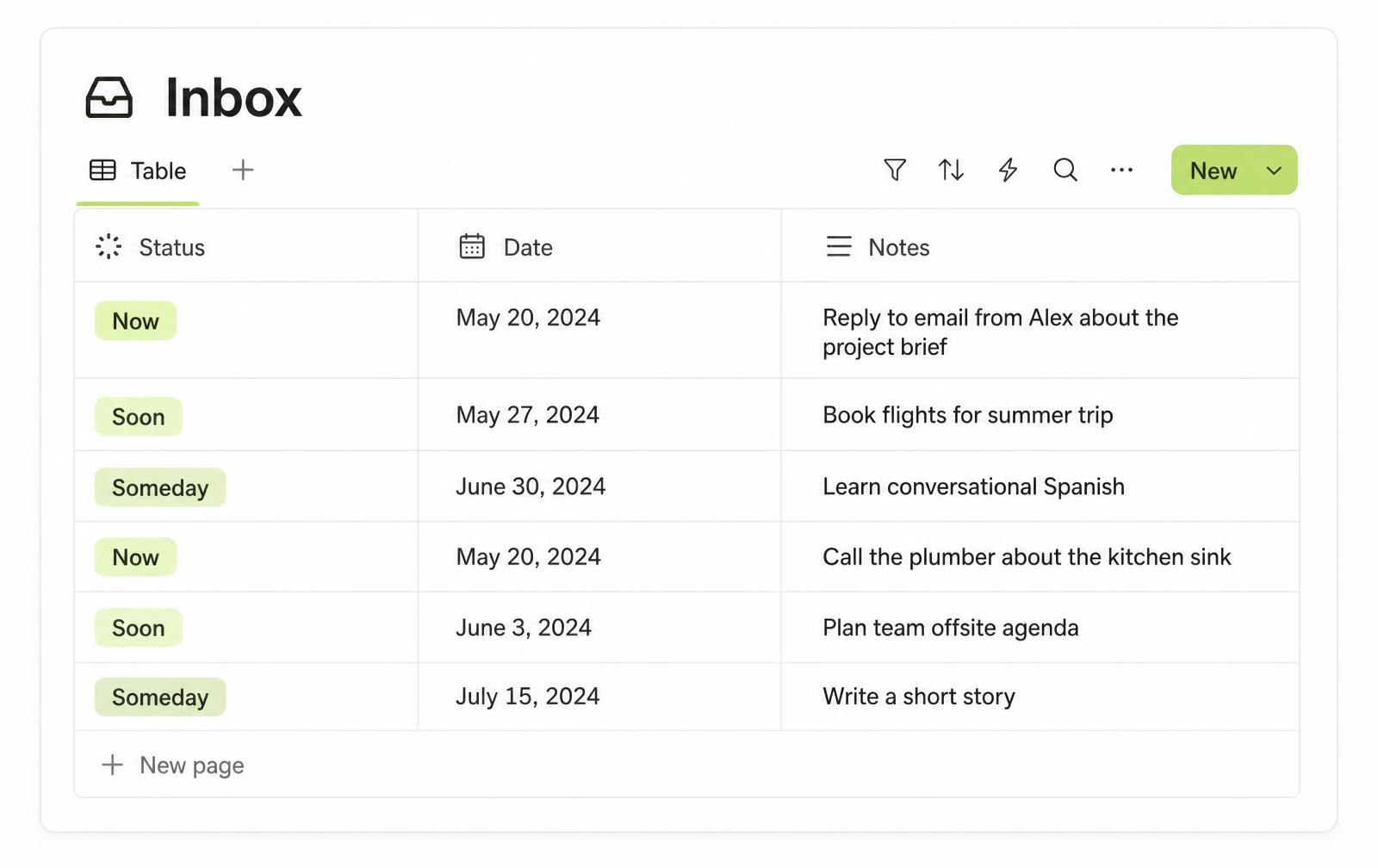
Create a single database called «Inbox». Give it three properties and no more: Status (Now / Soon / Someday / Done), a Date, and a free-text Notes field. Resist every urge to add more. This is the only place anything lands.
Step 2 — Capture by voice, not by typing
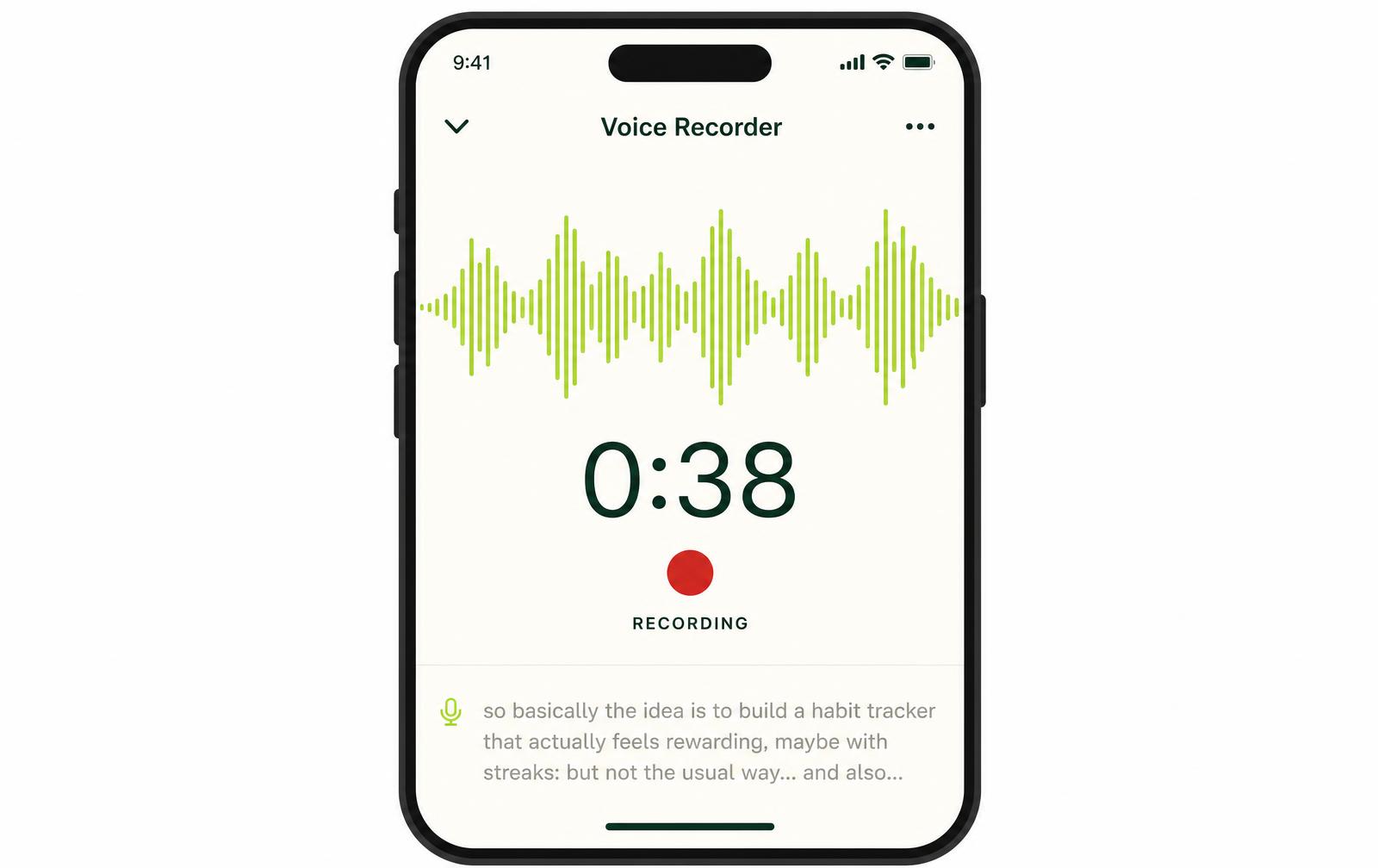
When something is rattling around your head, don't open Notion and stare at an empty page. Open your phone's voice recorder and just talk. «I need to email the landlord, book the dentist, and I keep forgetting to send Leah the file.» Thirty seconds, unfiltered. Typing is the bottleneck; talking is the bypass.
Step 3 — Let Claude sort and prioritize
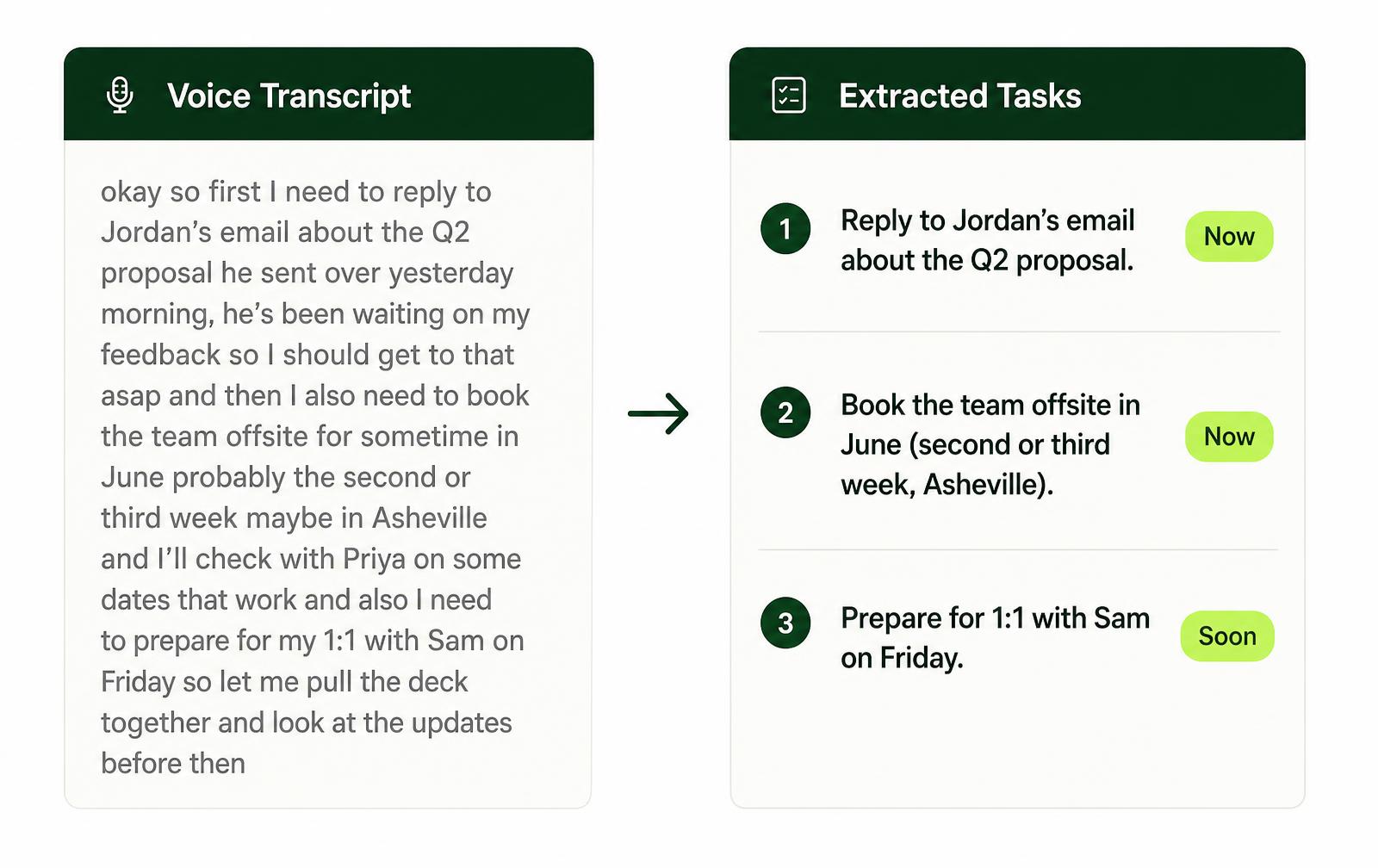
Hand the voice note (or its transcript) to Claude and ask it to turn the ramble into clean, separated tasks with a suggested priority. Claude reads «I keep forgetting to send Leah the file» and gives you back a single clear item marked Now. It splits the run-on into three tasks. It does the executive-function step — categorizing, sequencing, deciding what's urgent — that your brain finds most expensive.
Step 4 — Drop the result into Notion
Paste Claude's tidy list into your Inbox, or connect them so it lands automatically. Now Notion holds a sorted, prioritized set of tasks you never had to organize by hand. You spoke; something else did the filing. The whole loop is: talk → let AI sort → glance at Notion. Nothing to maintain, nothing to keep pristine.
A real Tuesday morning
Say it's 8:40 a.m. and your head is already loud. Instead of freezing, you pick up your phone on the walk to the kitchen and talk for forty seconds: the client thing, the prescription refill, the fact that you told someone you'd reply yesterday and didn't, and a half-idea about a newsletter.
You're barely back at your desk when Claude hands the mess back as four clean lines — «Reply to Sam (overdue)» flagged Now, «Refill prescription» flagged Now, «Draft client update» flagged Soon, «Newsletter idea» parked in Someday so it stops taking up space. You open Notion once, see four lines, and start with the two Nows. You never opened an empty page. You never decided how to categorize anything. The loud morning became four calm lines in under three minutes.
What it won't do — and what it costs
This won't fix everything, and it would be dishonest to pretend otherwise. It's a system for capturing and organizing — the tasks themselves are still yours to do, and on a genuine shutdown day even thirty seconds of talking can be too much. That's okay; the setup just waits for you without penalty, which is the whole point. It also takes a week or two before voice capture feels natural rather than awkward.
Costs stay low. Notion's personal plan already covers this whole setup — you never touch the paid tiers. You can skip the Notion AI add-on (around $20 per month) entirely, because the sorting happens in Claude, not in Notion. Claude's free tier is enough to run the full loop and see if it fits you; upgrading only makes sense once this is a daily habit. NeuroDeepFlow itself is €349, or €59 for the first ten pilot places until the end of August.
This setup is designed around neurodivergent brains, but it isn't therapy and it can't replace real support from a professional who knows you.
Frequently asked
Do I need to be good at Notion for this to work?+
No. The entire design is one database with three columns. If you can make a table, you can build this — and the less you know about Notion's advanced features, the less tempted you'll be to over-build.
What if I abandon it for two weeks?+
Then you come back and talk into it, and it works exactly as before. There's nothing to clean up because there was never anything to maintain. Neglect is a supported use case here, not a failure.
Can I use a different app instead of Notion?+
Yes. The method is voice → AI sorting → a simple home for the result. Notion is convenient and free, but the principle transfers to whatever calm container you already trust.
Isn't voice-to-task slower than just typing it in?+
For a lot of ADHD brains it's the opposite — typing forces you to organize as you write, which is the exact step that stalls you. Talking lets you offload first and sort later.
This is the system, not just the theory.
NeuroDeepFlow packages the Claude setup, the Notion structure, and the daily routine into one thing you can run tomorrow morning.
Join the waitlistKeep reading

Neurodivergent productivity isn't about trying harder — it's cognitive offloading: moving mental load out of your head into a system you trust. Here's the science, and how to use it.
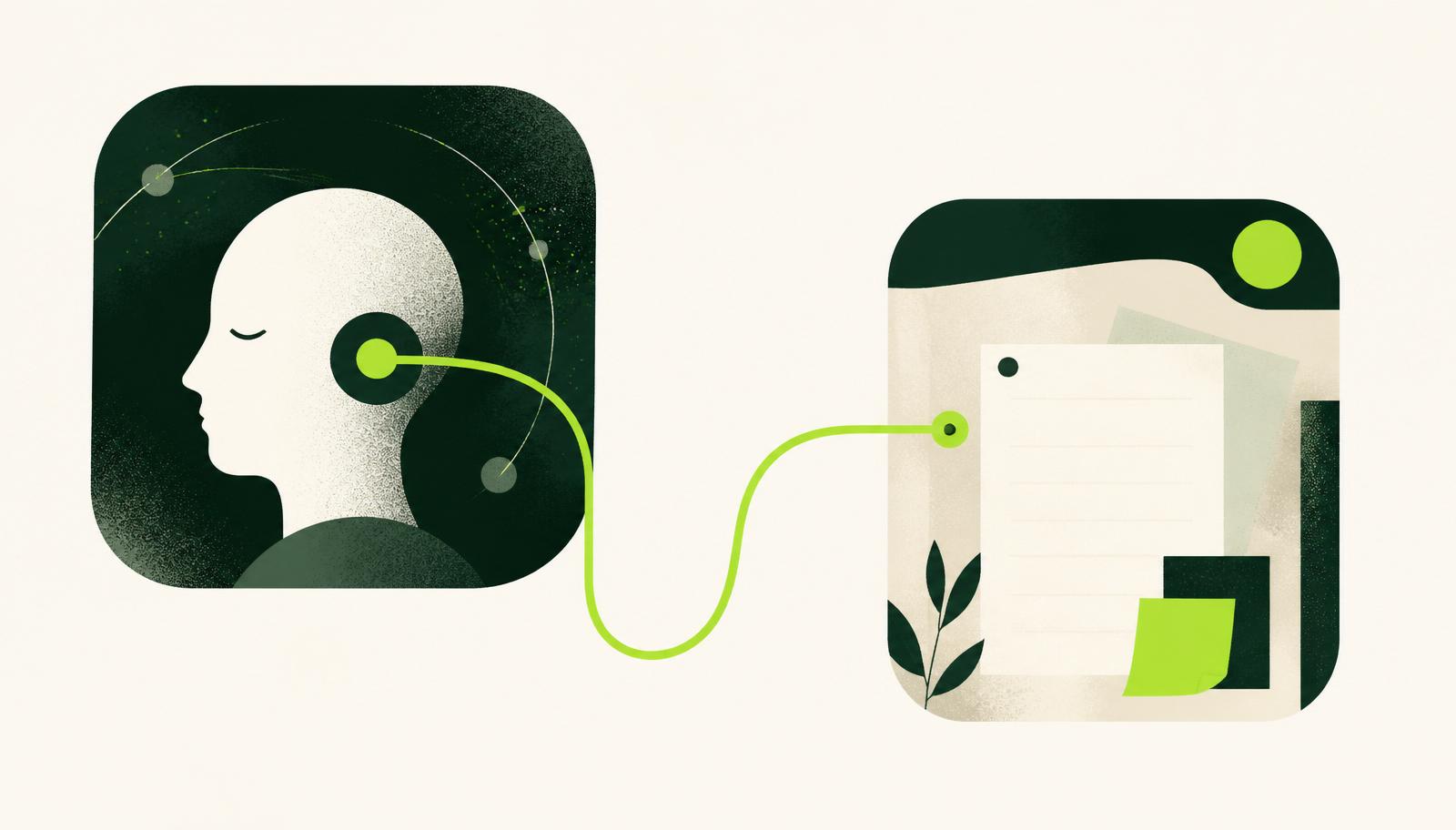
A step-by-step guide to connecting Claude to Notion using the Notion MCP server, so Claude can read your projects and write tasks straight into your workspace.